Lab 1a: How to power a light
Today’s lab is an introduction to basic electronic circuits and LEDs (light emitting diodes). We’ll start with a breadboard, then move to alligator clips, and then finally a sewn circuit.
First and foremost: for power and information, you’re going to use a tiny microcontroller called a GEMMA. It actually holds a whole powerhouse of computer code, but don’t worry, we aren’t getting into that yet. Today, we’re just going to get used to seeing it as the center of our circuit. Go to your box of supplies, grab the battery pack and AA batteries, and grab the bigger circuit board thing- this is the the GEMMA- and set it up like so- plugging the JST (this is a brand name actually) cord into the large, off-white reciever:

Note that the battery pack AND the GEMMA have on/off switches on them. Turn them both ON to make sure you’ve got it going right (the GEMMA should blink a little) and then turn at least one of them OFF for now.
Next, go back to your bag of supplies and pull out one of the other tiny chip looking things. It’s sort of like the GEMMA because it’s a circuit board, but it’s much smaller and has no plug ports in it. Grab three alligator cables too: these have clips on both sides (A/A):

First, wire up your GEMMA using the 5volt power. This is labelled Vout on the GEMMA. We’re also going to use one of the data pads – specifically A0. This pad is telling the NeoPixel how much power to give each of the colors (RGB). It’s already coded, we’re just plugging it in. Clip the red wire to Vout, the black to GND, and the white to A0:
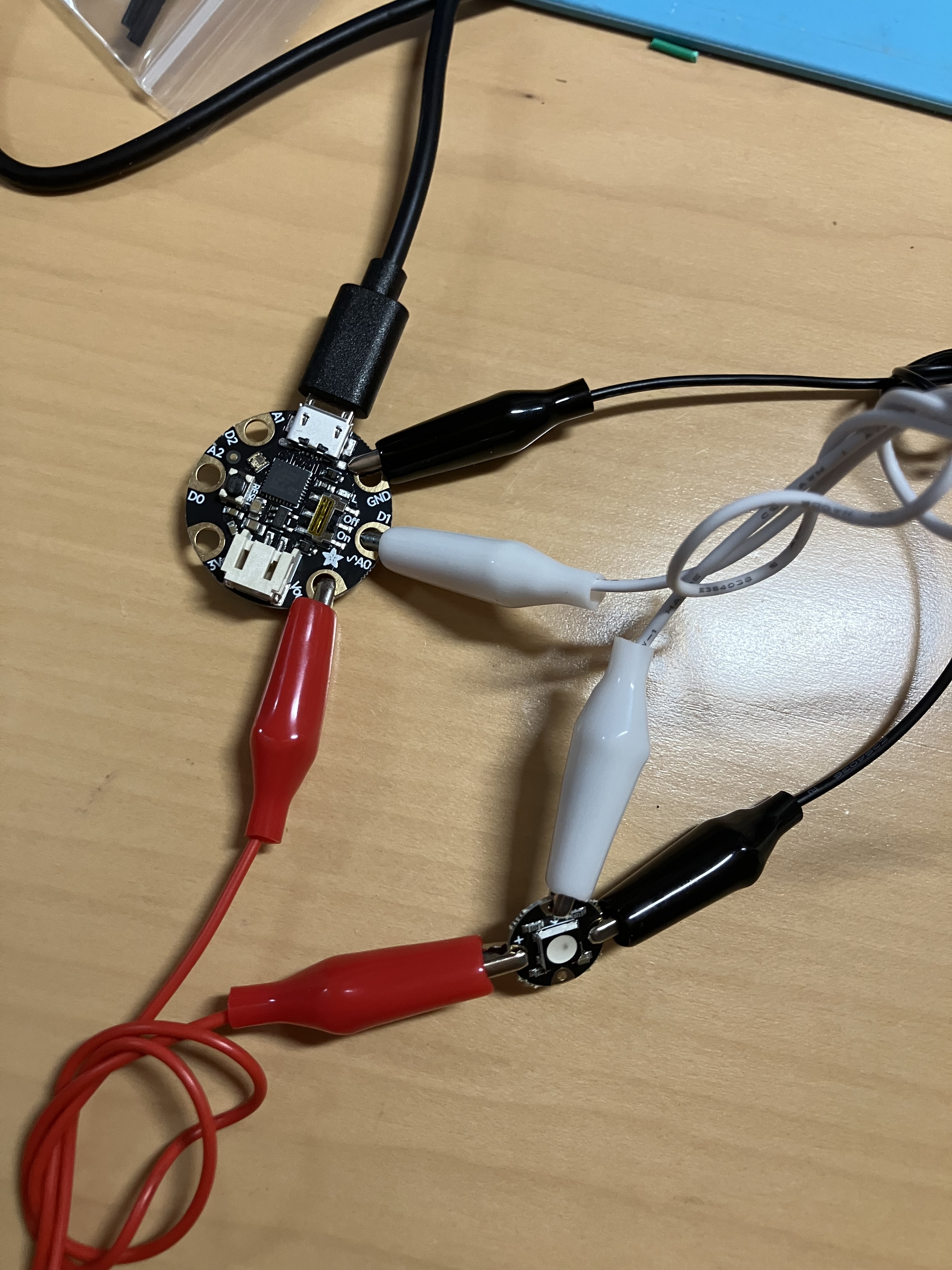
The other ends of the alligator clips will go on the teeny, tiny NeoPixel ports. They look like miniature versions of the ones on the GEMMA, and the labels are, correspondingly, tiny. The red wire goes onto + (connecting Vout to +), the black to – (connecting GND to -), and the white goes to the arrow that points INTO THE CENTER OF THE PIXEL:

Now, power up that GEMMA, and see the blinky blinky! Wow!
But this contraption is huge and… well, kind of annoying. Right? Here’s why: the secret I have kept from you is that these components are not designed to be used with wires- they are actually sewable components, used for wearables and soft circuits. So your final step is going to be to transfer this circuit to fabric. (Wow, Prof, is that why we’ve got this fabric in our kits? Why yes it is.)
Pull out your fabric, needle, and the length of thread. You should also have a set of snips so grab those too. This is a special conductive thread, made of stainless steel – it’s midway between a wire and fabric thread. If you are used to hand sewing you will find it is a little stiffer than cotton or polyester, more like a thick nylon thread. You are going to use a single length- don’t double up the thread.
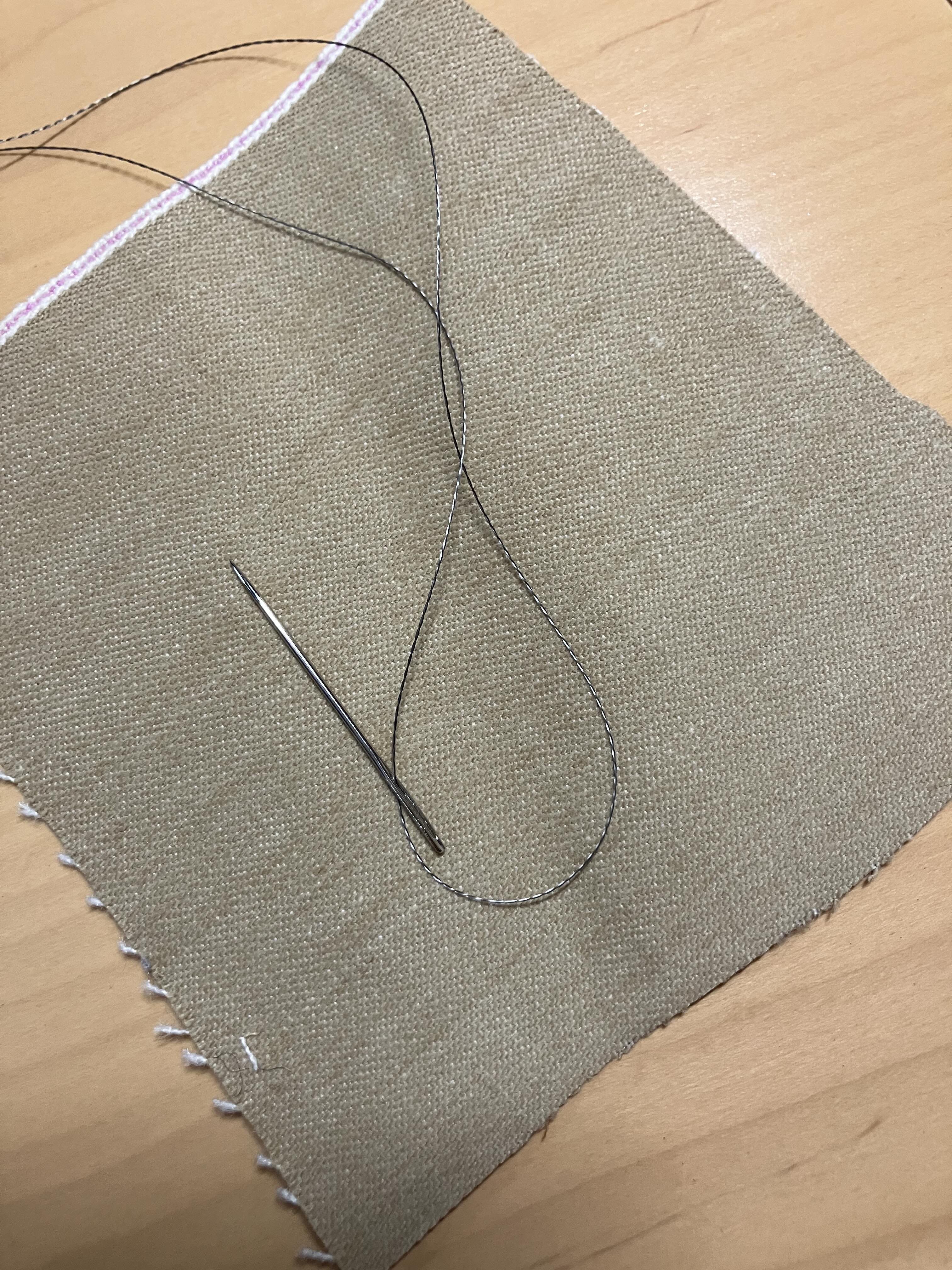
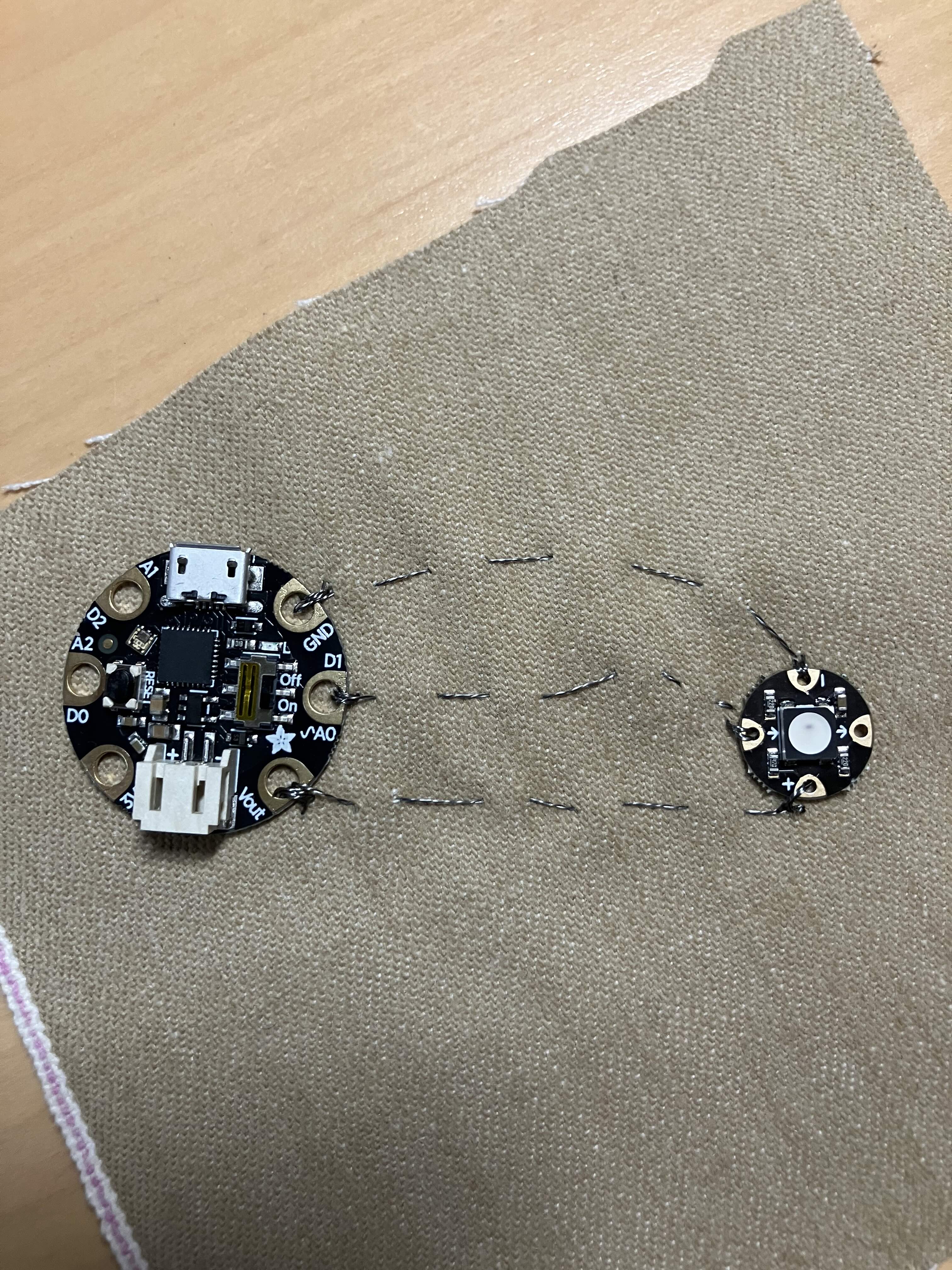
Sewing conductive circuits is like embroidery in many ways, but has some important differences. The biggest one is that you want to make absolutely sure that you do not cross the threads. Each of these jumper cables is going to be replaced by a length of thread. The thread cannot be connected together at all! So don’t jump ahead, please look at the photos. You’ll be sewing the GEMMA and NeoPixel a little bit apart- I put the GEMMA in the upper left corner and the NeoPixel to the right and below it. Here is the end result, for reference:
Start by sewing the GEMMA in place through the Vout pad, like so. You want to loop through the GEMMA three times. You don’t need to knot the thread to start but you can if you find it hard to hold in place. The first photo shows the loop, the second is after I pulled it tight.
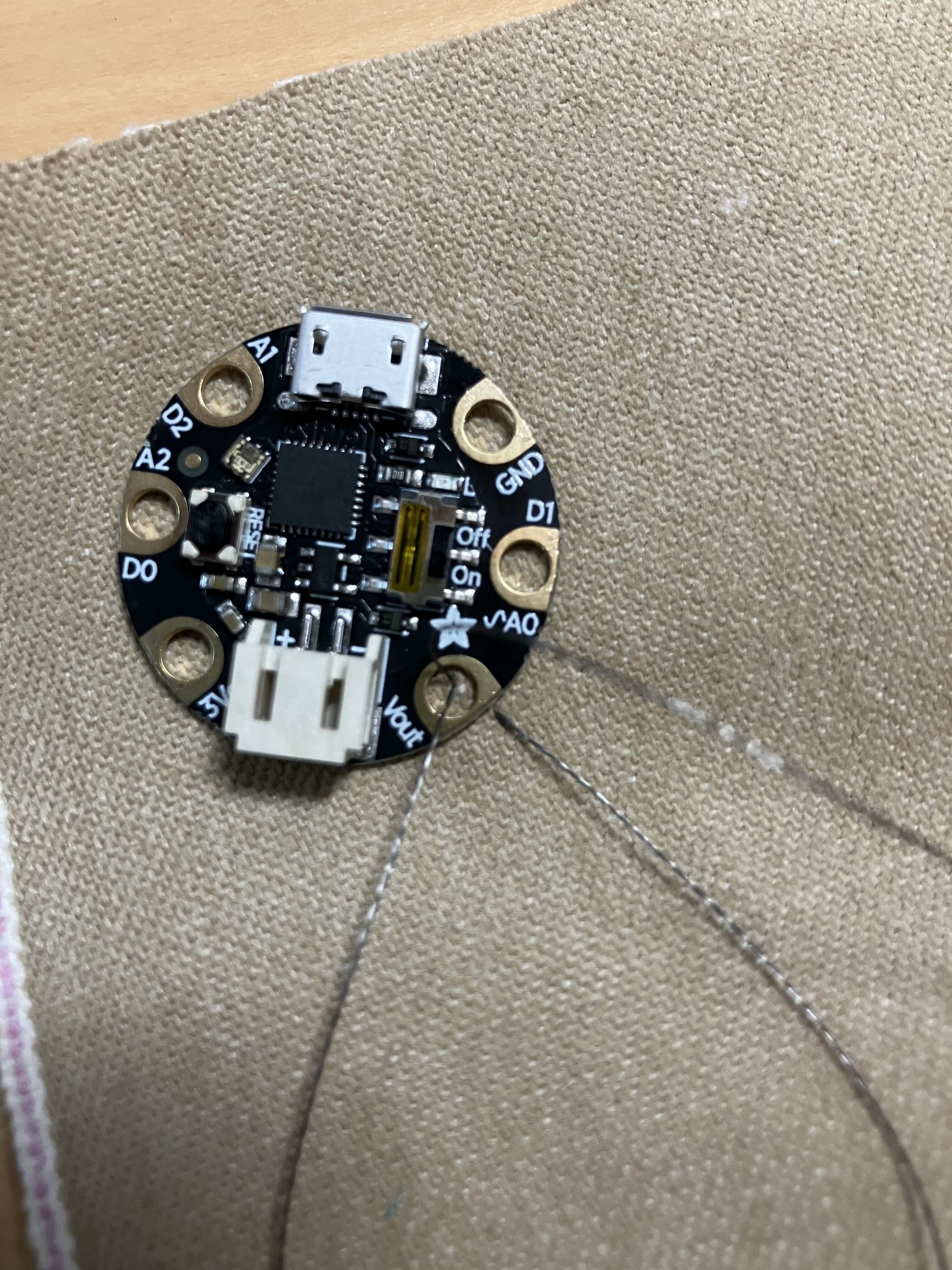

Do three of those, so you’ve got a nice little knot going:
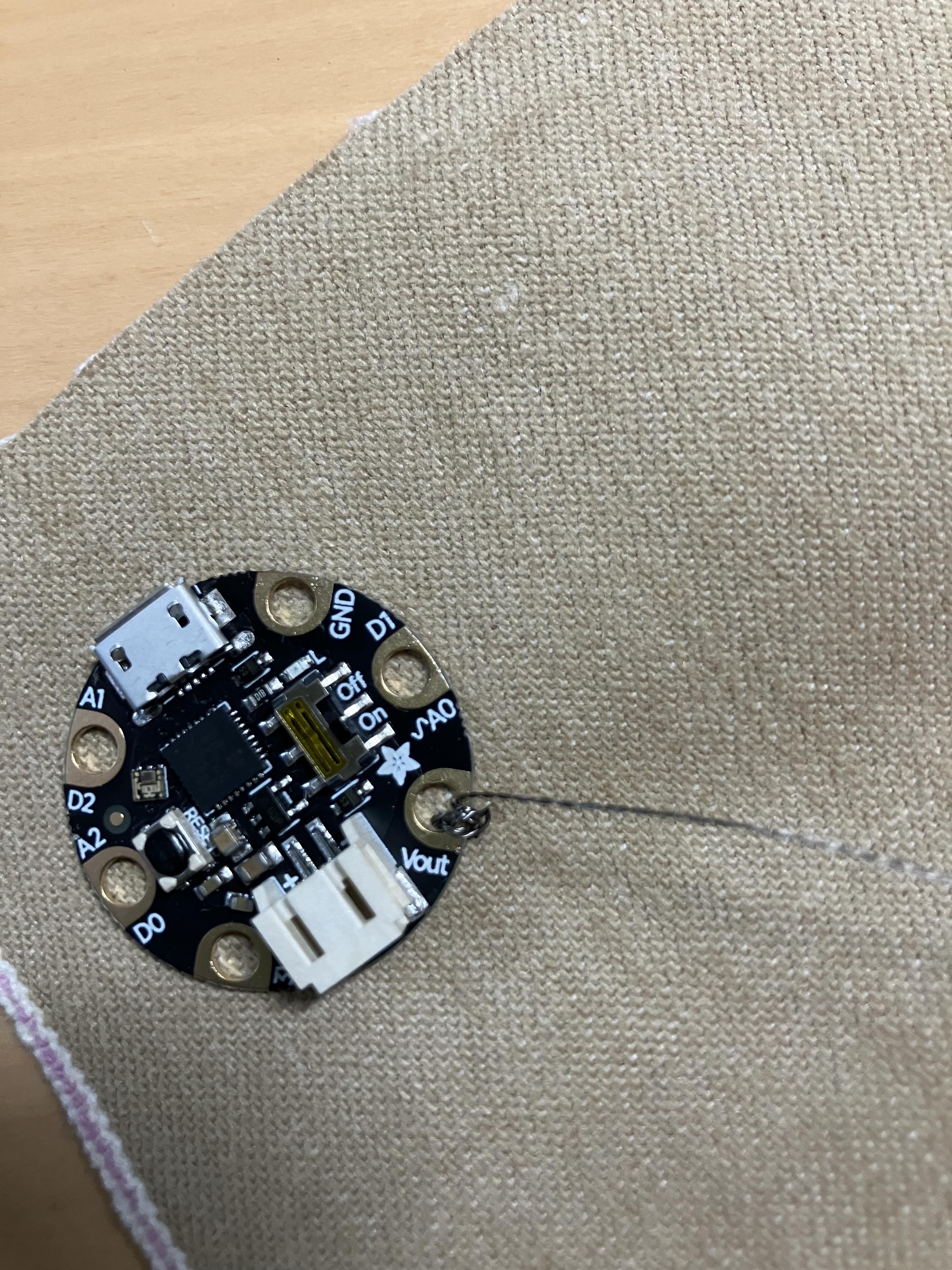
Now you do a running stitch (a simple up and down) through to where you want the NeoPixel to be. Remember, this thread is replacing the red alligator jumper cable – so it’s going from Vout to the + sign on the NeoPixel:

Then go ahead and sew through the + pad the same way you did with the Vout pad. Make about three loops. To tie off, you want to loop through the back side – that is, flip the fabric over so the GEMMA and NeoPixel are down- and make a simple knot, like so: (Photo is of the back side of the fabric!)

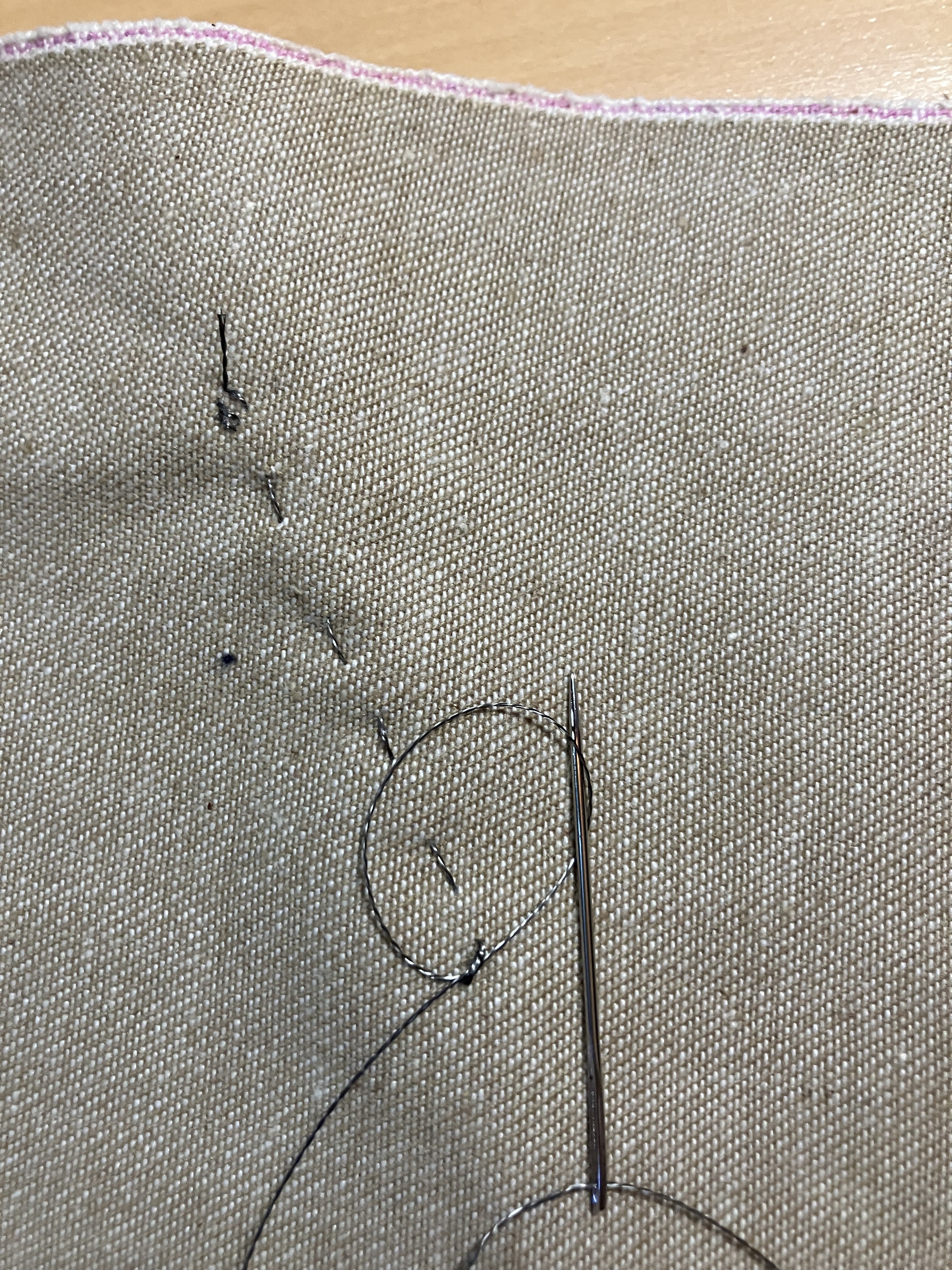
Once you have tied the thread securely, snip it off. The wires must be discreet wires. A continuous wire is a continuous connection!
Starting at the beginning again, make two more sewed lines the same way, connecting A0 to the arrow pointing in and GND to -. Final result looks like this:
Note how all of the threads are separated! This is the back side:

Trim off any trailing ends, because crossed wires will cause a short circuit.
Once it’s clean, go ahead and plug it in and light it up!
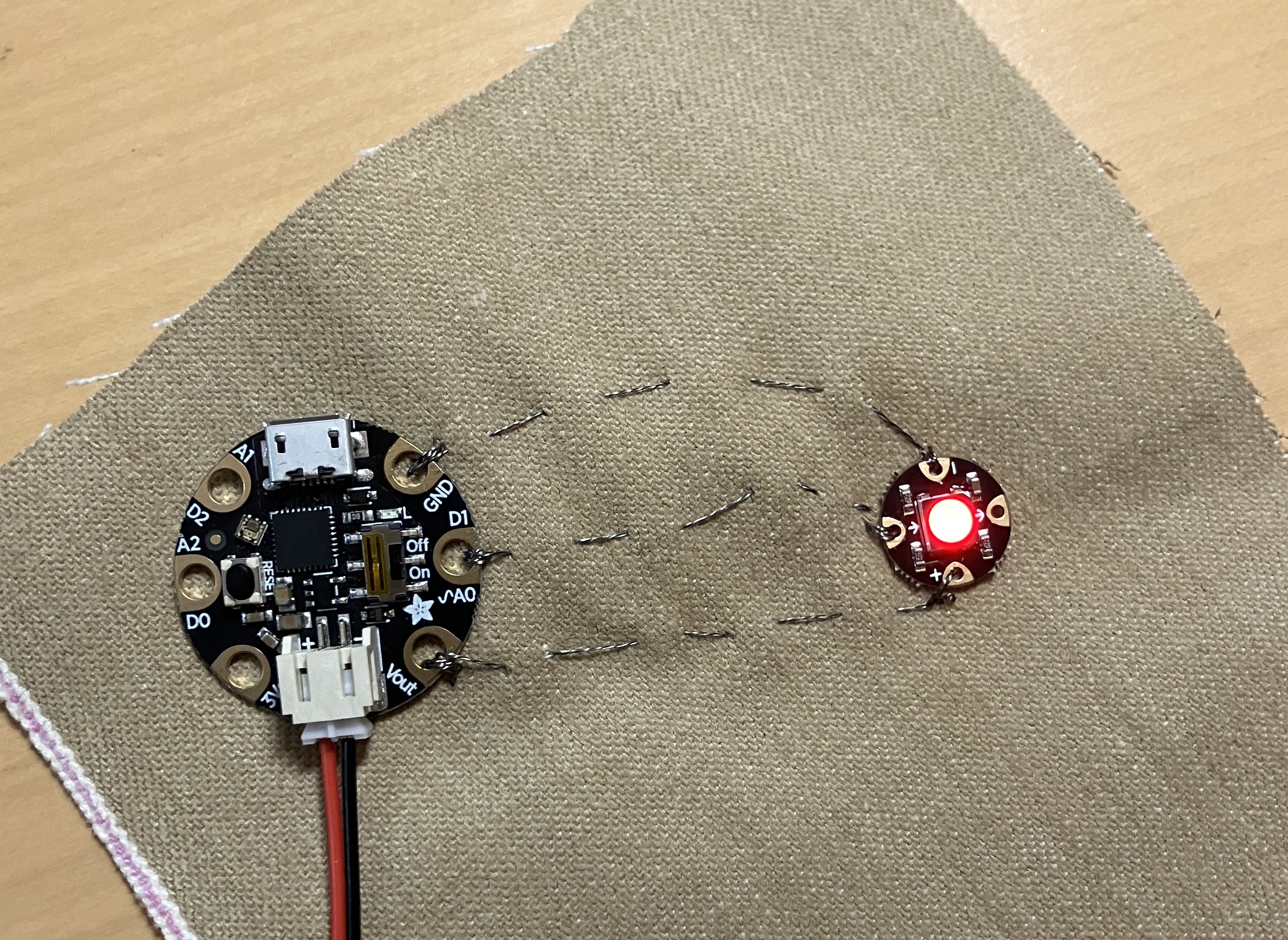
Congratulations, you’ve made your first wearable electronic. Now, if you want an extra challenge – there is a second NeoPixel in your kit. You can sew it in series after the first one. Sew from the + on the first NeoPixel to the + on the second, from the – on the first to the – on the second, and from the OUT arrow (the one that is not used yet!) to the IN arrow. Yes, the second NeoPixel will be attached to the first, not to the GEMMA itself! The issue is, of course, that the light will not go on, and that is because the GEMMA isn’t sending code for two pixels, just for one. But you’ll fix that in the next lesson…
Next up, learning CircuitPython!
 Cyd Cipolla